
01
Media import
Bring imagery from different devices onto one map
Supports JPG, PNG, HEIC/HEIF, common camera RAW formats, MP4, MOV and M4V, reading available capture time, GPS, dimensions and orientation.
JPGHEICRAWMOVKMLKMZ
 PHOTOMAP DESKTOP
Organize photos, camera RAW files, short videos and map positions as clear project records. Browse by group, filter, correct locations and export results that remain useful after the survey ends.
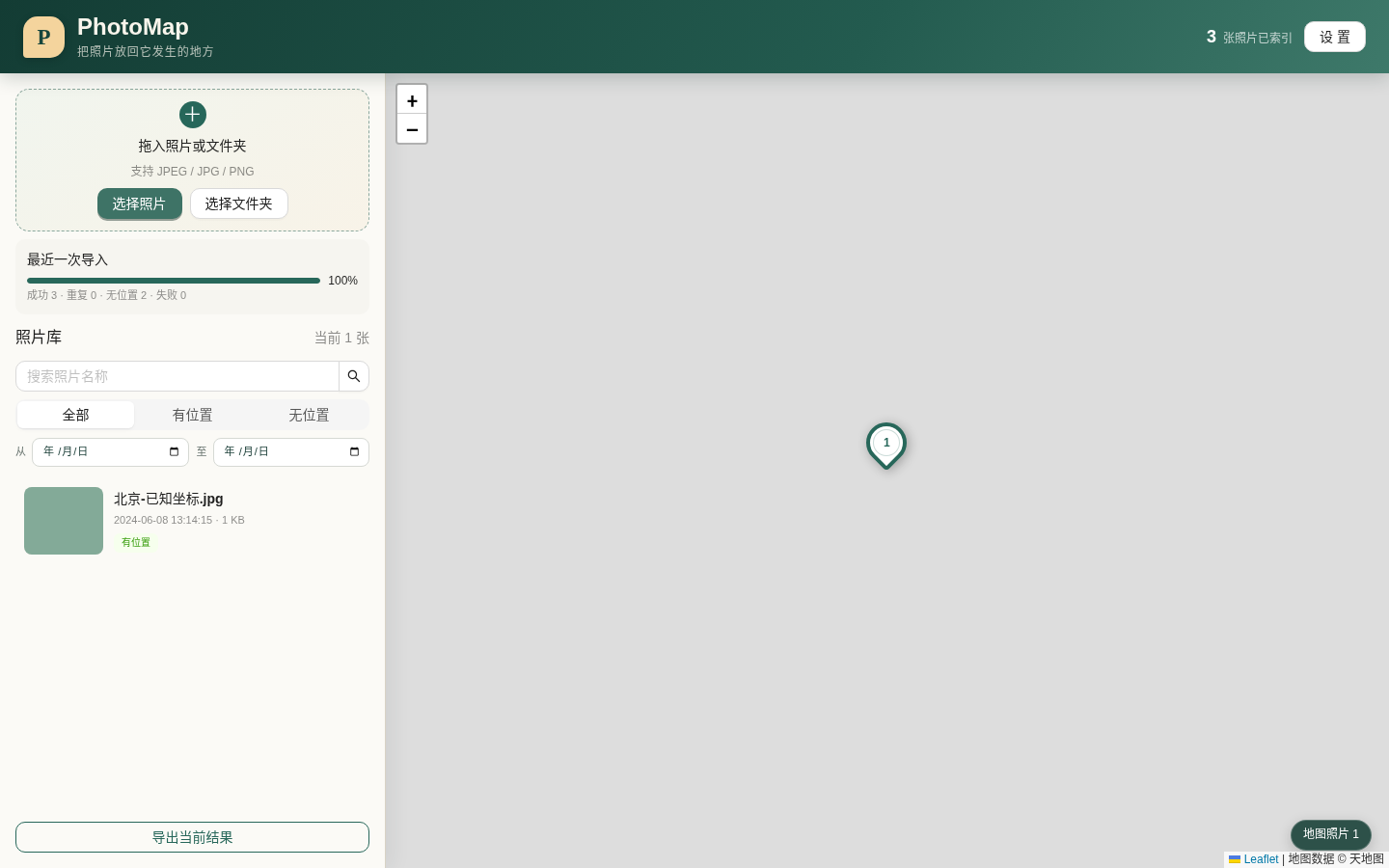
For environmental surveys, engineering reconnaissance, emergency investigations and any project built around photos plus location.
Learn more ↓Keep the source folder structure while rebuilding the relationships between field records.
Supports JPG, PNG, HEIC/HEIF, common camera RAW formats, MP4, MOV and M4V, reading available capture time, GPS, dimensions and orientation.
The map, list and timeline work together. Media without GPS remains available and can be positioned or corrected in the project index.
Search names, locations, dates, media types and source-file state, with batch grouping and index maintenance.
Use KML for locations and metadata, KMZ for thumbnails or source media, and portable packages for groups, layers and the project index.
Photo import, location work, thumbnails, the project index and exports are handled by the desktop application for long-running field archives.
For Windows 11 x64. Compatibility with Windows 10 has not been confirmed.
Download Windows installerApprox. 104.6 MB · .exe↓! The installer is not yet Authenticode-signed, so Windows may show an unknown publisher or SmartScreen notice. Download only from this page and verify the SHA-256 value below.
fba655ff4b3d25221c241c8c1372d257e13bae147a44e882c1545ab9e2d0431aPhotoMap manages the project from the desktop. Source media and indexes remain in locations you choose. Online basemaps, geocoding and update checks connect only when those functions are used.
Yes. Media without location is retained and can be filtered, positioned or corrected on the map.
Yes. Export a lightweight or complete .photomap package, or back up and restore the index database.
The current installer has not yet been Authenticode-signed. Use this official page and verify the published SHA-256 checksum.